Support forum for MegunoLink
-
rsfoto
- Posts: 36
- Joined: Mon Nov 20, 2017 12:09 am
Mon Nov 27, 2017 9:25 pm
Hi,
Remembering my days when I used to do a bit of VB programming (all forgot now) I remembered that there was the possibility to fix the size of a window with all the buttons and boxes inside so everything was always visible and not resizable.
Now I thought this could be done as well here but ¿ maybe I overlooked something ? and fixed the so called UserControl1 to a size of 500,250 in the hope this would lock the possibility increase or decrease the panel size. Well it did not.
Below a few screenshots
Designer Window
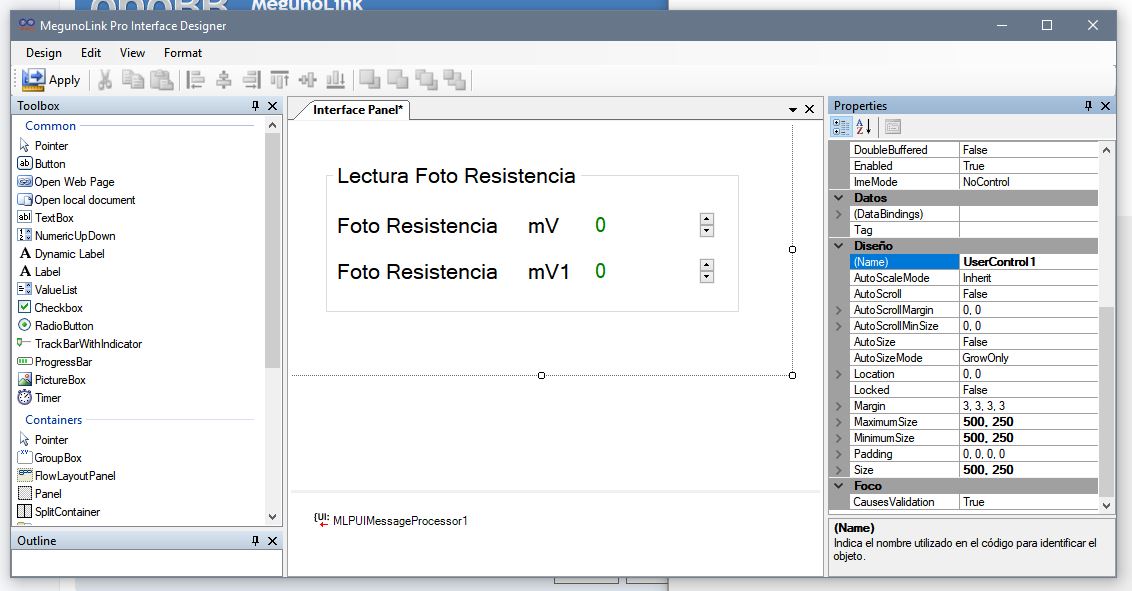
- Designer Window
- MLPro_007.JPG (104.38 KiB) Viewed 11880 times
Program after opening build exe

- Panel size after opening exe
- MLPro_005.JPG (49.2 KiB) Viewed 11880 times
Running program and resized hiding parts of it

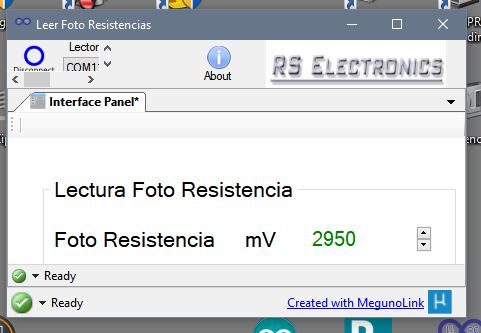
- Panel size resized and not showing all
- MLPro_006.JPG (33.85 KiB) Viewed 11880 times
regards Rainer
regards Rainer
Observatorio Real de 14, SLP, MEX
-
philr
- Posts: 463
- Joined: Mon May 26, 2014 10:58 am
Tue Nov 28, 2017 2:00 am
Unfortunately not. The interface panel is completely independent of the overall window for the application. MegunoLink will remember your windows size so once you find something you like close it and open it again and it should still be as you left it.
Phil
-
rsfoto
- Posts: 36
- Joined: Mon Nov 20, 2017 12:09 am
Tue Nov 28, 2017 4:00 pm
philr wrote: Tue Nov 28, 2017 2:00 am
Unfortunately not. The interface panel is completely independent of the overall window for the application. MegunoLink will remember your windows size so once you find something you like close it and open it again and it should still be as you left it.
Phil
Hi Phil,
OK and thanks. Will have to inform my customers when they open the User Interface for my Hardware which is still in development.
regards Rainer
regards Rainer
Observatorio Real de 14, SLP, MEX
